Key takeaways
- All buttons flashing at power-on is the heat-up cycle, not a fault. Give it 20-30 seconds and it stops on its own.
- The 1-CUP and 2-CUP buttons pulsing together after a shot almost always means the machine wants a descale or a reset, not a new PCB.
- A single button that won't light or respond usually traces back to the ribbon connector behind the front panel, not the button itself.
- If the STEAM light won't stop flashing, the thermal cutoff or steam thermistor is the first thing to check before spending a dollar on parts.
- Hold the 2-CUP button for 3 seconds during power-on to force the descale-alert reset on most BES870 units.
A customer dropped off a BES870 last spring convinced it was toast. All six buttons were strobing at her, she’d unplugged it three times, and a Reddit thread had her ready to spend $180 on a control board.
I plugged it in, waited 25 seconds, and the flashing stopped. It was heating up. That’s it.
The Barista Express doesn’t have a screen, so it uses its button lights the way older machines used a wall of gauges. Every pattern means something specific. Learn to read them and you’ll skip a lot of panic and a lot of unnecessary parts.
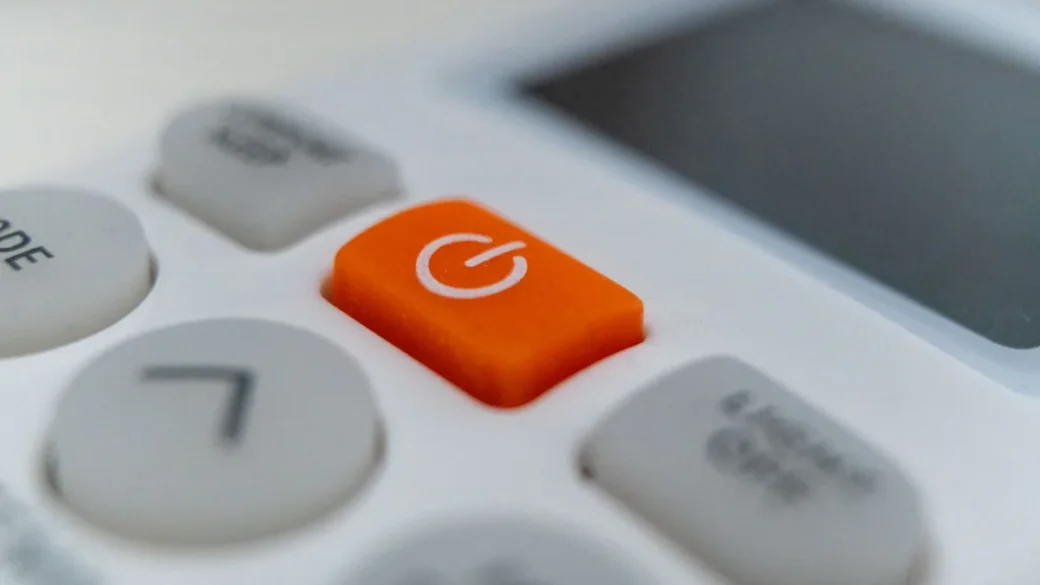
Why are all the lights on my Barista Express flashing at once?
Nine times out of ten this is the heat-up cycle, and it’s completely normal.
When you press the power button on a cold BES870 or BES878, the thermocoil starts pulling the group up to brew temperature – roughly 200°F at the puck. While that’s happening, the machine flashes the button ring to tell you “not ready yet.” On a room-temperature machine that takes about 20 to 30 seconds.
Once it reaches temperature, the lights settle and the single-cup button glows steady. Now it’s ready to pull a shot.
If your kitchen is cold – say a garage or a 55°F pantry – the heat-up flash can run closer to 45 seconds. The thermoblock is just working harder against ambient temperature. That’s not a fault.
The problem case is when the all-lights flash never stops. If you’re past a minute and it’s still strobing, the machine isn’t reaching its target temperature, and that points at the heating circuit or the temperature sensor. I’ll cover that under the steam light, because the symptoms overlap.
What does it mean when the 1-CUP and 2-CUP lights flash together?
This is the pattern I get asked about most, and it’s almost always a descale alert or a stored fault the machine wants cleared.
Breville builds a descale counter into these. After a set number of shots – it varies by model and water hardness setting – the single and double shot buttons pulse in unison to nag you. It isn’t broken. It’s telling you scale is building up inside the thermocoil.
Clearing a descale alert
Run the descale routine with Breville’s own descale tablets (about $10 for a pack of four) or a citric-acid solution. On most BES870 units you start it by holding the 1-CUP and 2-CUP buttons together for a few seconds with the machine on. The lights walk through the cycle, then reset the counter.
Scale is also the number-one reason these machines slowly lose pressure. If your pours have gone weak alongside the flashing, my write-up on why an espresso machine has no pressure covers the same buildup from the flow side.
Set your water-hardness dial to match your actual tap water. Owners on hard well water who leave it on “soft” get descale alerts twice as often and cook the heating element early. The setting lives in the same button-hold menu as the descale start.
When the descale doesn’t clear it
If you descale and the twin flash comes right back, the counter didn’t reset or there’s a genuine flow fault. Do a full power cycle – unplug for 60 seconds, not 5 – then re-run the reset hold. That clears a stuck counter maybe 70% of the time on the bench.
Why does the STEAM light keep flashing?
A flashing steam light that won’t go steady is the pattern that actually worries me, because it usually means a heat problem rather than a maintenance reminder.
When you turn the dial to STEAM, the machine drives the thermoblock up to around 265°F to make dry steam. If the steam thermistor – the little temperature sensor clipped to the block – reads wrong, or the thermal cutoff has tripped, the light flashes and steam never comes.
The first thing I check is the thermal cutoff, a one-shot safety fuse that pops if the machine overheats – often after someone runs it dry or leaves it on for hours. It’s a $8 to $15 part. A blown cutoff kills steam heat entirely and sets that flashing light.
Next is the thermistor itself. If it’s drifted or the connector has corroded, the board can’t trust the reading and refuses to heat. Testing it needs a multimeter and getting behind the front panel – four T15 Torx screws on most of these, torqued light, maybe 1.5 Nm, so don’t gorilla them back in.
Unplug the machine and let it sit 30 minutes before you open it. The thermoblock holds heat for a long time, and there’s a capacitor on the control board. I’ve been bitten by residual charge on a machine that had been off for ten minutes. Wait it out.
According to the Specialty Coffee Association, proper milk texturing wants steam in that 250–270°F range, which is exactly why Breville won’t let the wand run if the sensor can’t confirm the temperature. The flashing light is the machine protecting your milk and its own element.
Why is one button not lighting up or responding?
When a single button goes dark or dead while the rest work fine, the button itself is rarely the culprit. It’s the ribbon.
Behind the front fascia, a flat ribbon cable carries every button signal to the main board. These cables loosen from years of heat cycling and vibration. Pop the panel, reseat the ribbon into its connector until it clicks, and the dead button usually wakes right up. Costs nothing.
If reseating doesn’t do it, the membrane behind that button has failed. Breville sells the button-panel assembly for roughly $30 to $50 depending on model, and it’s a straightforward swap once you’re already inside.
On a Breville, a lit button that won’t respond is a board problem. An unlit button is almost always a connection problem. Check the cheap one first.
How do I know if it’s a fault or just a normal reminder?
The quickest tell is timing. Reminders show up after you’ve been using the machine – twin-button descale flashes, that sort of thing. Faults show up at power-on and won’t clear no matter how long you wait.
Here’s the triage I run before pulling a single screw:
- Unplug for a full 60 seconds, then power on and time the flash – under 30 seconds and settling means normal heat-up.
- Check the water tank is seated fully. A tank that’s a millimeter off trips the low-water sensor and flashes lights.
- Confirm the dial is centered on the standby position, not stuck between brew and steam.
- Run a descale if the 1-CUP and 2-CUP are pulsing together.
- Reseat the front-panel ribbon if a single button is dead.
Most machines I get labeled “dead” clear on one of those five. If none of them work, then it’s genuinely a heating or board issue and worth opening up.
A machine that flashes and also leaks is often two separate problems that showed up together. If you’re chasing water on the counter too, my breakdown of where espresso machines leak water will save you conflating the two.
What if none of the light patterns match mine?
Breville has shipped enough firmware revisions across the Barista Express line that a few units flash in ways the manual never documents. When a pattern doesn’t fit the usual three, I treat it as a hard fault and go by symptom instead of light code.
No heat at all, lights flashing? Thermal cutoff or thermoblock. Weak or missing shots with an odd flash? Pump or flow, and thin pours with pale extraction usually trace to grind or dose – I get into that in the piece on why espresso has no crema. Total no-power with a faint flash on plug-in? Main board.
Keep a short log – date, what you did just before the flash started, how long it lasts. When a machine lands on my bench with three lines of notes, I diagnose it in half the time. And if you want the wider map of failure points across brands and symptoms, the overview on an espresso machine not working ties these light codes into the bigger picture.
These machines are genuinely repairable. The flashing lights aren’t the enemy – they’re the closest thing to a diagnostic readout Breville gave you, and once you speak the language, most of them are asking for a two-minute fix, not a new machine.
Frequently asked questions
On a room-temperature machine, expect 20 to 30 seconds of flashing during the heat-up cycle, then the lights settle and the single-cup button glows steady. In a cold room it can stretch to about 45 seconds. If it's still flashing after a full minute, that's no longer normal heat-up and points to a heating or sensor fault.
That paired pulse is the descale reminder. The machine counts your shots and nags you once scale has built up in the thermocoil. Run the descale routine with Breville tablets or citric acid, then hold the 1-CUP and 2-CUP buttons to reset the counter.
Yes. Unplug it for a full 60 seconds - not just a quick pull - to clear a stuck fault or counter. For the descale alert specifically, hold the 1-CUP and 2-CUP buttons together while the machine is on to walk it through the reset. A short unplug of 5 seconds often isn't enough to clear the stored state.
That combination usually means the thermoblock isn't reaching steam temperature. The most common causes are a tripped thermal cutoff, a $8 to $15 one-shot fuse that pops after overheating or running dry, or a faulty steam thermistor. Both sit behind the front panel and need a multimeter to test properly.
Probably not. A single unlit or unresponsive button is almost always a loose front-panel ribbon cable, which you can reseat for free once the fascia is off. If reseating doesn't fix it, the button membrane has failed and the panel assembly runs about $30 to $50 to replace.
Usually not. All buttons flashing at power-on is the standard heat-up indication and stops on its own within 30 seconds. Only worry if the all-lights flash never settles, which means the machine can't reach brew temperature and the heating circuit needs attention.